5 Awesome Open WebUI Alternatives in 2026
 Jonas Scholz
Open WebUI is one of the most popular self-hosted AI chat interfaces for running ChatGPT-like conversations with local LLMs, Ollama, and OpenAI-compatible APIs. It is a great default if you want a private AI workspace with document chat, model management, and a familiar UI.
But Open WebUI is not the only option. Teams often compare Open WebUI alternatives when they need stronger enterprise auth, a cleaner ChatGPT clone, deeper RAG/document workflows, a mobile-first UI, or stricter multi-tenant controls.
If you mainly want Open WebUI with less infrastructure work, you can deploy Open WebUI on Sliplane with persistent storage, HTTPS, and no server management.
Quick Picks
- Best ChatGPT-like team UI: LibreChat.
- Best document chat and RAG option: AnythingLLM.
- Best polished mobile-friendly UI: LobeChat.
- Best minimal chat app: Chatbot UI.
- Best enterprise private AI option: BionicGPT.
- Best if you want Open WebUI without server work: deploy it on Sliplane.
AI App Hosting Matrix
| Alternative | Best for | Self-hostable? | Sliplane fit |
|---|---|---|---|
| LibreChat | ChatGPT-like team UI | Yes | Good fit, but bring database/search dependencies |
| AnythingLLM | Document chat and RAG | Yes | Excellent fit as a hosted AI app |
| LobeChat | Modern UI and plugins | Yes | Good fit for container hosting |
| Chatbot UI | Minimal AI chat | Yes | Better when you are comfortable with Supabase |
| BionicGPT | Enterprise private AI | Yes | Possible, but heavier than small app hosting |
| Open WebUI | Ollama-first private AI chat | Yes | Excellent fit with persistent storage |
How to Choose an Open WebUI Alternative
- Choose LibreChat if your users want something that feels close to ChatGPT, with multi-provider support and team authentication.
- Choose AnythingLLM if your main use case is chatting with internal documents, PDFs, knowledge bases, and private data.
- Choose LobeChat if you want a polished UI, plugin ecosystem, voice features, and a strong mobile experience.
- Choose Chatbot UI if you want a lightweight AI chat app and are comfortable using Supabase for auth and storage.
- Choose BionicGPT if you need enterprise controls, team isolation, and on-prem private AI deployments.
- Stick with Open WebUI if you want the strongest Ollama-first default and a large self-hosting community.
Let's explore the best Open WebUI alternatives in more detail.
1. LibreChat
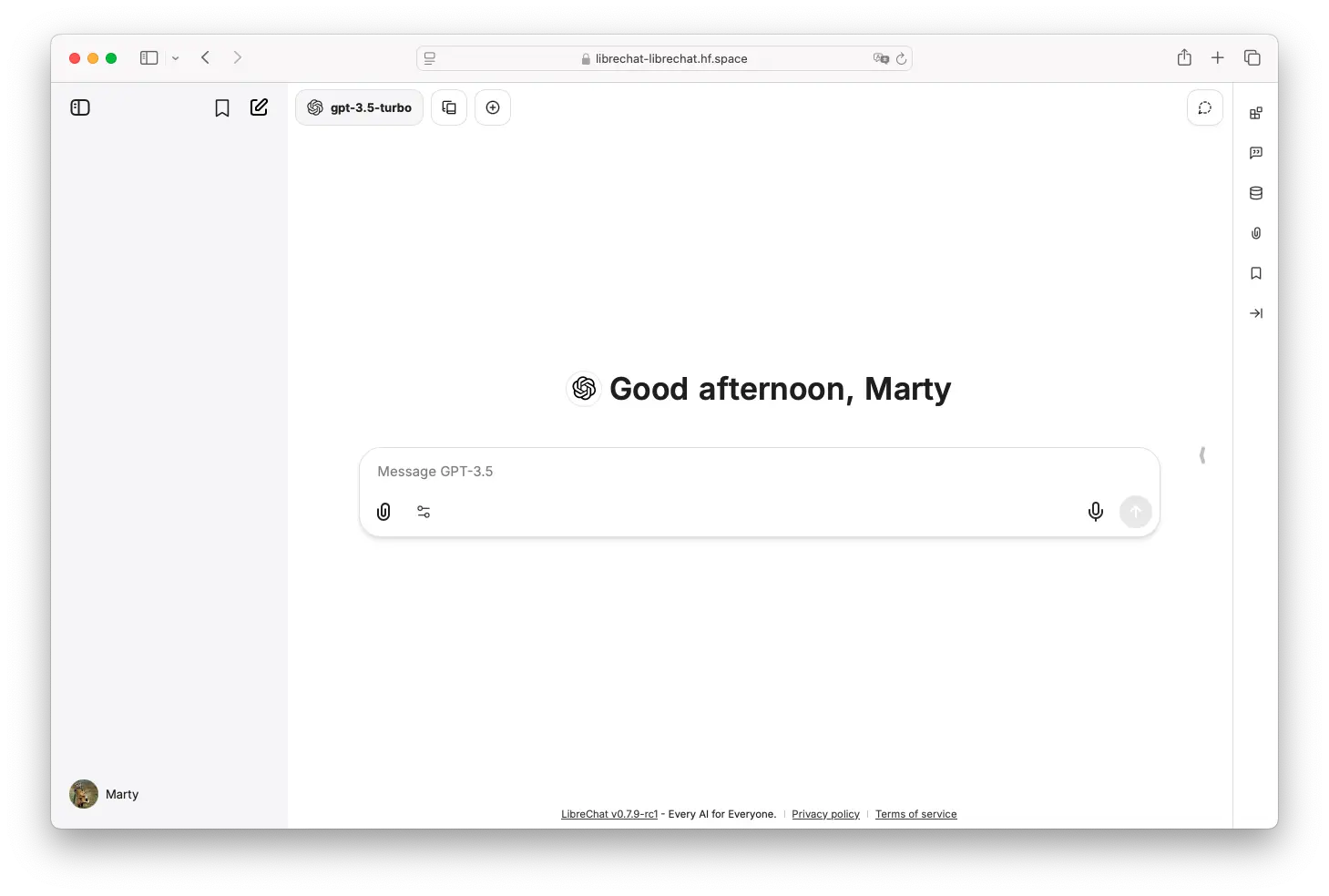
LibreChat is a polished, open-source ChatGPT-style web UI that unifies multiple AI backends under a familiar interface, with enterprise-oriented features and robust multi-user support.
- Features: Multiple model providers (OpenAI, Claude, Ollama, etc.), multi-modal support, ChatGPT plugins, function calling, RAG capabilities, conversation forking/export, and artifact rendering.
- Why You Should Use It: Offers the most ChatGPT-like experience with enterprise authentication (OAuth2, SSO), secure API key storage, and persistent chat history - perfect for teams needing a familiar UI.
- Why Not: Heavier to deploy than Open WebUI, requires external database, and lacks fine-grained role permissions (all users see same models/tools).
- Pricing: Free (open-source); self-host on your own infrastructure or use Sliplane for managed hosting.
2. AnythingLLM
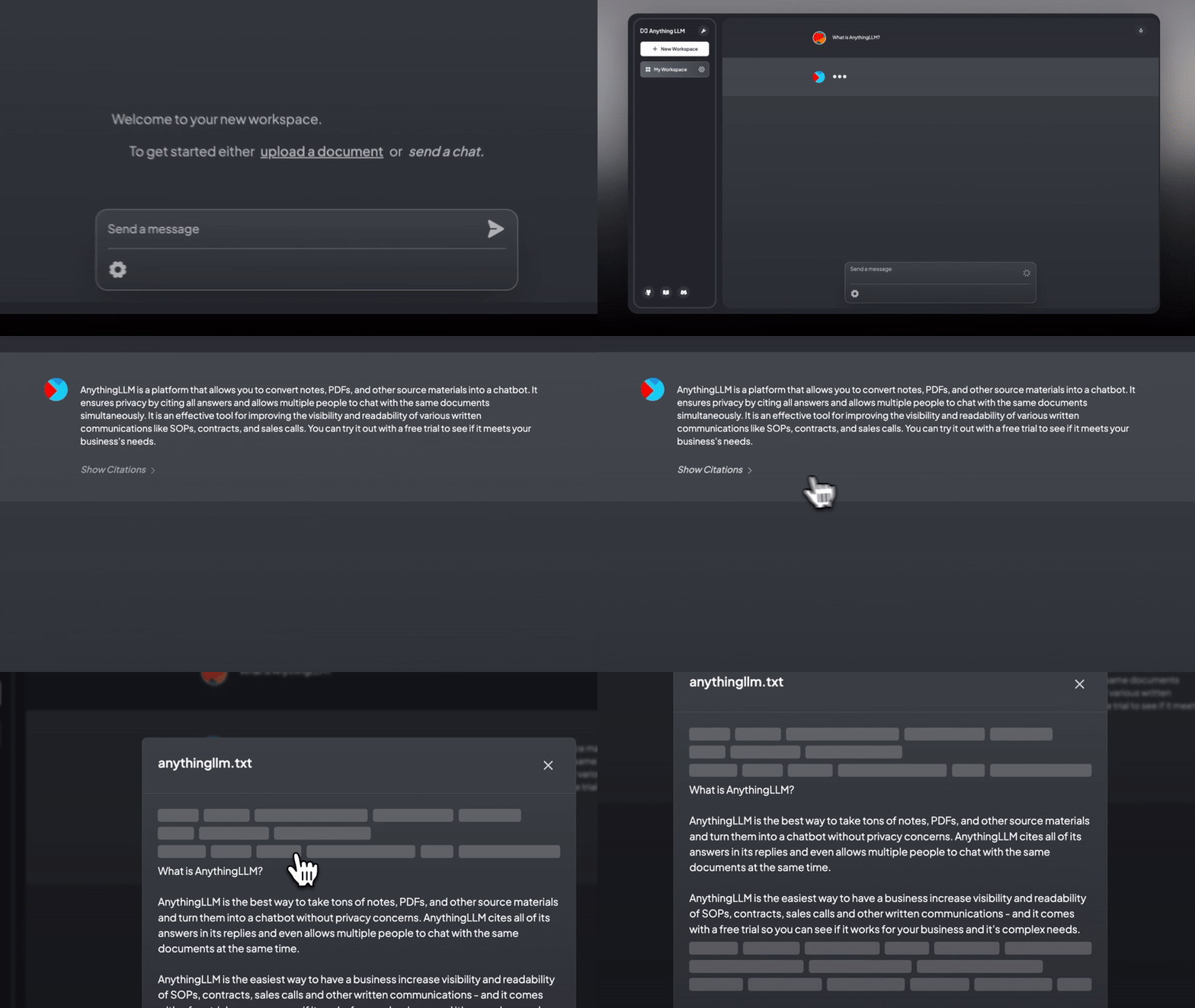
AnythingLLM is an all-in-one AI chatbot framework designed for building local AI agents that can interact with your data and tools, combining ChatGPT-style UI with document chat capabilities.
- Features: No-code agent builder, prebuilt skills (PDF reading, database queries), first-class RAG support, document ingestion (PDF, Word, CSV), multiple model backends, and observability dashboard.
- Why You Should Use It: Best-in-class for document Q&A and knowledge base chatbots, with built-in vector storage and citation support - ideal if you need to chat with your data.
- Why Not: Heavier and more complex than Open WebUI for simple chats, uses SQLite by default (limiting for large teams), and the agent system is somewhat rigid.
- Pricing: Free (open-source); available as desktop app or Docker deployment.
3. LobeChat
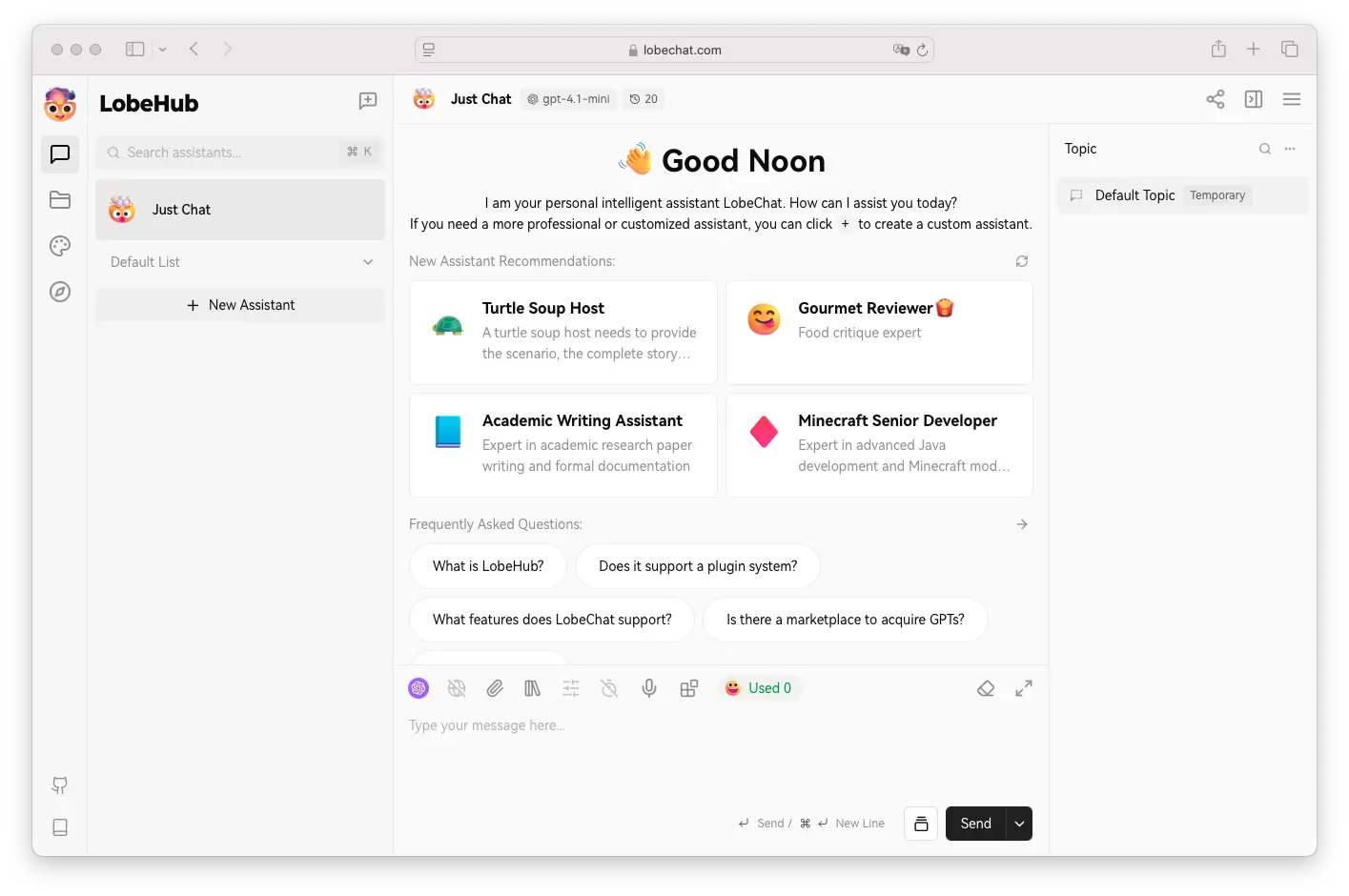
LobeChat is a modern, lightweight chat platform with a sleek UI, emphasizing extensibility, mobile support, and a plugin marketplace for AI capabilities.
- Features: Multiple AI backends, function-call plugin system, agent marketplace, knowledge base integration, voice chat (STT/TTS), image generation, PWA support, and custom themes.
- Why You Should Use It: Superior user interface with built-in voice chat, mobile app support, and extensible plugin system - perfect for teams prioritizing user experience.
- Why Not: More complex setup than Open WebUI, smaller/newer community, and lacks equivalent to Open WebUI's Python pipelines for custom backend logic.
- Pricing: Free (open-source); one-click Vercel deploy or Docker self-hosting.
4. Chatbot UI

Chatbot UI is a minimalist ChatGPT-style interface for teams that want a clean chat experience with Supabase-backed auth and storage.
- Features: Multi-model support, media uploads, Supabase auth/storage, prompt templates, basic RAG features, and cross-device sync.
- Why You Should Use It: Good fit if you want a simple UI and do not need Open WebUI's broader local-model management features.
- Why Not: It depends on external services for the full multi-user experience and is less self-contained than Open WebUI.
- Pricing: Free (open-source); Supabase costs depend on your usage.
5. BionicGPT
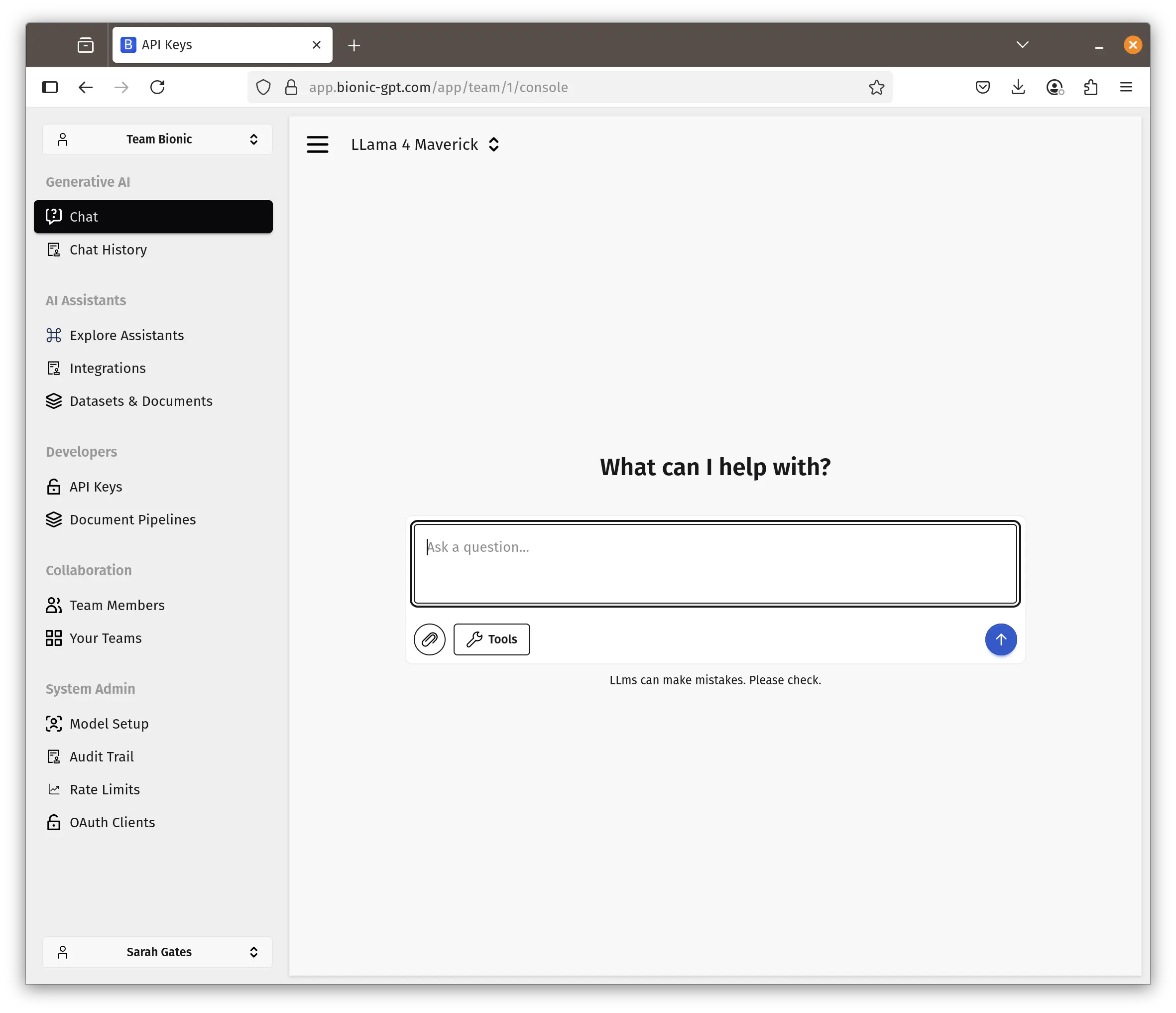
BionicGPT is an enterprise-grade, on-premises ChatGPT replacement designed for multi-user, multi-team deployments with strict data privacy and robust RBAC.
- Features: Multi-model management, team-based chat rooms, integrated RAG pipeline, usage analytics, OpenAI-compatible API, and full multi-tenant support with role-based access control.
- Why You Should Use It: Enterprise-grade features with team isolation, scalable microservices architecture, and the most robust user management system among alternatives.
- Why Not: Most complex deployment (multiple containers), resource-heavy, smaller community, and may be overkill for small teams or personal use.
- Pricing: Free (open-source, Apache-2.0); enterprise support available from maintainers.
Conclusion
| Tool | Best For | Multi-User | Deployment | Unique Strength |
|---|---|---|---|---|
| LibreChat | ChatGPT-like experience | ✅ OAuth2/SSO | Docker + DB | Most familiar UI, enterprise auth |
| AnythingLLM | Document Q&A, knowledge bases | ✅ Role-based | Docker/Desktop | Built-in RAG and agent capabilities |
| LobeChat | Modern UI, mobile users | ✅ NextAuth/Clerk | Vercel/Docker | Voice chat, plugins, best UX |
| Chatbot UI | Simple team chat | ✅ Supabase auth | Node.js + Supabase | Minimal setup, persistent storage |
| BionicGPT | Enterprise deployments | ✅ Teams + RBAC | Microservices | Multi-tenant, team isolation |
Each alternative serves different needs: LibreChat for familiarity, AnythingLLM for document chat, LobeChat for modern UX, Chatbot UI for simplicity, and BionicGPT for enterprise. All can be self-hosted to keep your data private!
FAQ
What is the best Open WebUI alternative?
LibreChat is the best Open WebUI alternative if you want a ChatGPT-like team interface with multiple AI providers. AnythingLLM is better for document chat and RAG, while BionicGPT is stronger for enterprise on-prem deployments.
Is Open WebUI still worth using?
Yes. Open WebUI is still one of the best defaults for self-hosted AI chat, especially if you use Ollama or local models. You should switch only if your team needs a different workflow, stronger auth, or more specialized RAG features.
Which Open WebUI alternative is best for documents?
AnythingLLM is the strongest choice for document Q&A because it focuses on knowledge bases, document ingestion, and RAG workflows from the start.
Can I self-host Open WebUI alternatives?
Yes. LibreChat, AnythingLLM, LobeChat, Chatbot UI, and BionicGPT can all be self-hosted. The main difference is operational complexity: some need a database, vector store, object storage, or multiple containers.
Can I deploy Open WebUI on Sliplane?
Yes. Sliplane has an Open WebUI preset that gives you a private deployment with persistent storage and HTTPS without manually configuring a VPS.